
XXAI - Free desktop software integrating 15 top AI models
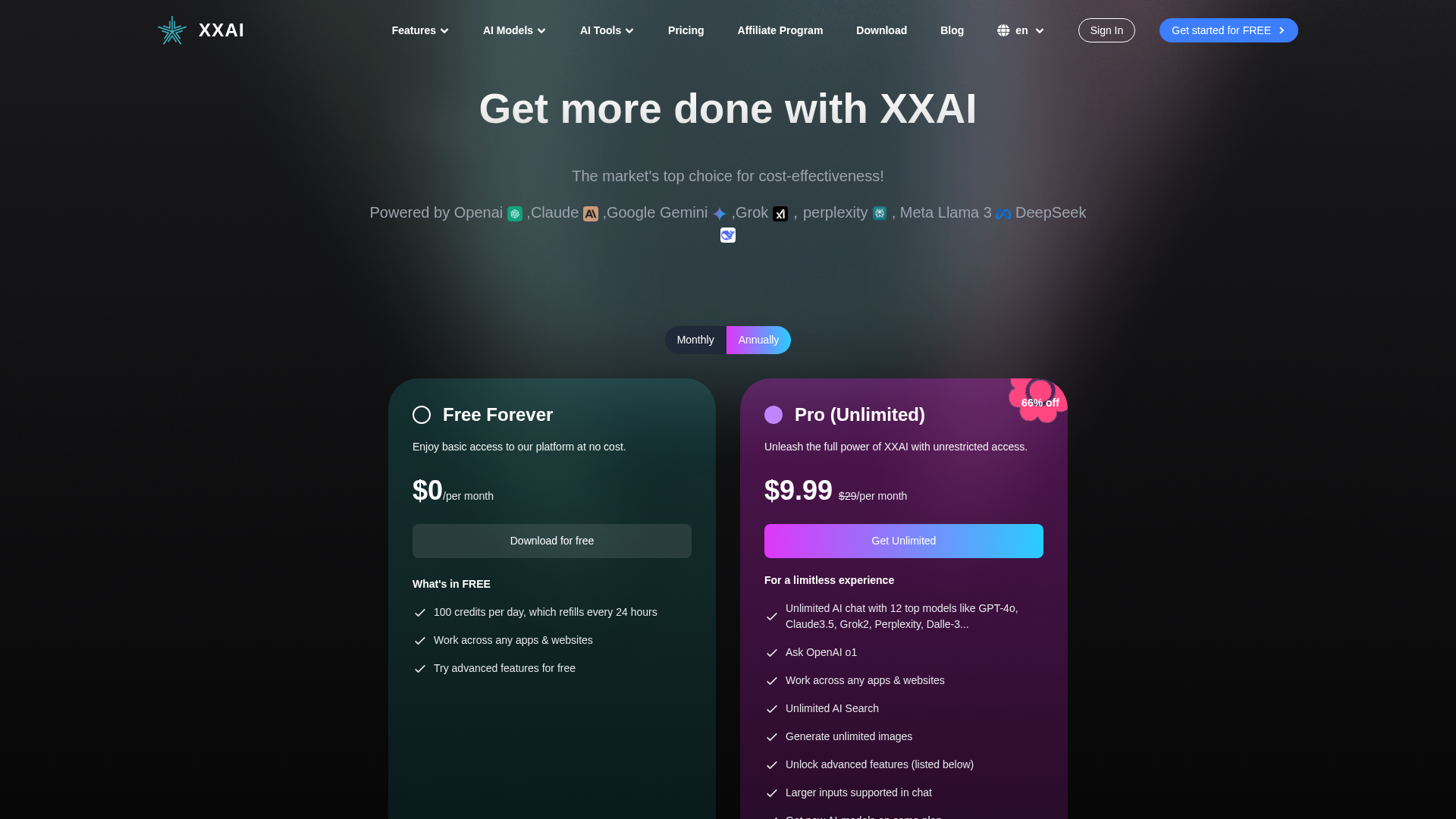
XXAI is a free AI desktop software that integrates 15 top AI models including OpenAI's GPT-4o, Claude 3.5, and Google Gemini. Users can seamlessly switch between different models for chat, image generation, translation and other tasks. The free plan offers 100 daily credits for basic features while the Pro plan ($9.99/month) unlocks unlimited usage and advanced features. Compatible with Windows and macOS, XXAI provides 24/7 customer support and prioritizes data security. Whether you're a creator, student or professional, XXAI helps boost productivity.
Product Overview
XXAI is a free AI desktop software integrating 15 top AI models:
- OpenAI: GPT-4o mini, GPT-4o, o3-mini, o1
- Anthropic: Claude 3.5 Haiku, Claude 3.5 Sonnet, Claude 3 Opus
- Google: Gemini Flash 2.0, Gemini 1.5 Pro
- Deepseek: DeepSeek R1, DeepSeek v3
- Other Models: Llama 3, Perplexity, Grok 2, DALL·E 3
Key Advantages:
- Multi-model Integration: Seamlessly switch between different AI models
- Free to Use: Free plan offers 100 daily credits for basic features
- Powerful Tools: Supports chat, image generation, translation, writing
- Cross-platform: Compatible with Windows and macOS
Features
Chat Models
- OpenAI: GPT-4o mini, GPT-4o, o3-mini, o1
- Anthropic: Claude 3.5 Haiku, Claude 3.5 Sonnet, Claude 3 Opus
- Google: Gemini Flash 2.0, Gemini 1.5 Pro
- Deepseek: DeepSeek R1, DeepSeek v3
- Other Models: Llama 3, Perplexity, Grok 2
Image Models
- OpenAI: DALL·E 3
Other Features
- AI Writing: Email, social media content generation
- Translation: Supports 200+ languages
- AI Search: Intelligent search functionality
- AI Copilot: Direct AI access within documents and apps
Pricing
| Feature | Free Plan | Unlimited Plan ($9.99/month) |
|---|---|---|
| Chat Models | Limited | Unlimited |
| Image Generation | Limited | Unlimited |
| AI Search | Not available | Unlimited |
| Document Processing | Limited | Unlimited |
| Premium Models | Partial access | Full access |
| Customer Support | Basic | 24/7 |
How to Use
- Download: Visit download page for your OS version
- Register: Create a free account
- Start Using: Open software, select AI model, input tasks
Shortcuts:
- Activate AI: Shift + A
- Get AI Response: Enter
- Insert AI Response: Ctrl + Enter
- New Line: Shift + Enter
Support & Services
- Customer Support: 24/7 for paid users
- Data Security: Multi-layer encryption, GDPR compliant
- Updates: Automatic update detection
FAQs
XXAI
Free desktop software integrating 15 top AI models
Featured

AI GPT Image
Multi-model AI image and video generation platform with perfect text rendering

PatentFig AI
AI-powered patent drawing platform for compliant figures in minutes

SciDraw AI
AI-powered scientific illustration and data visualization platform

Humanio
AI text humanizer that reads like authentic human writing

GhostShorts
AI-powered viral short video generator for faceless creators

Emochi Review 2026: AI Character Roleplay & Chat
Emochi review for 2026: AI character chat, roleplay quality, custom characters, EMOCHI+ pricing, safety, pros, cons, and alternatives.

8 Best Free AI Code Assistants in 2026: Tested & Compared
Looking for free AI coding tools? We tested 8 of the best free AI code assistants for 2026 — from VS Code extensions to open-source alternatives to GitHub Copilot.



Comments